
Build, Break, and Repair a Reliable Tool-Using Agent
Implement a bounded tool loop, diagnose a seeded failure, and prove the final state instead of trusting a success message.
- Reading
- 35 min
- Workshop
- 90 min
- Video
- 31 min
- Stack
- TS · Node 22
- Version
- 1.0.0
- Last verified
- Oct 12, 2026
01Outcomes
SampleWhat you will build and be able to do
Each outcome has an observable criterion. The lab and the assessment check exactly these, nothing more and nothing less.
OBJ-001
Implement a bounded tool loop
The agent completes the support task in at most 8 steps and stops on its own condition.
OBJ-002
Trace every action to its result
Your log pairs each tool_use with exactly one tool_result by id.
OBJ-003
Diagnose a seeded failure
You name the malformed result and the repeated-action hazard, with evidence.
OBJ-004
Verify final state
A check outside the agent confirms the ticket state matches the expected write.
02Prerequisites and setup
SampleReady in ten minutes
- Comfortable in one programming languageRefresher: TypeScript in 20 minutes
- Basic command-line useShell basics primer
- Has made an API call beforeYour first Messages API request
- Node 22 and pnpm installedSetup checklist
# Clone the lab at the tested taggit clone <lab-repository-url>cd 01-tool-using-agent && git checkout v1.0.0 pnpm installcp .env.example .env # add ANTHROPIC_API_KEYpnpm lab:check✓ node 22.23.3 ✓ pnpm 12.3.4 ✓ api key present ✓ fixtures loadedLab repository · tested at v1.0.0
03The system picture
SampleOne loop, one stop condition, one independent check
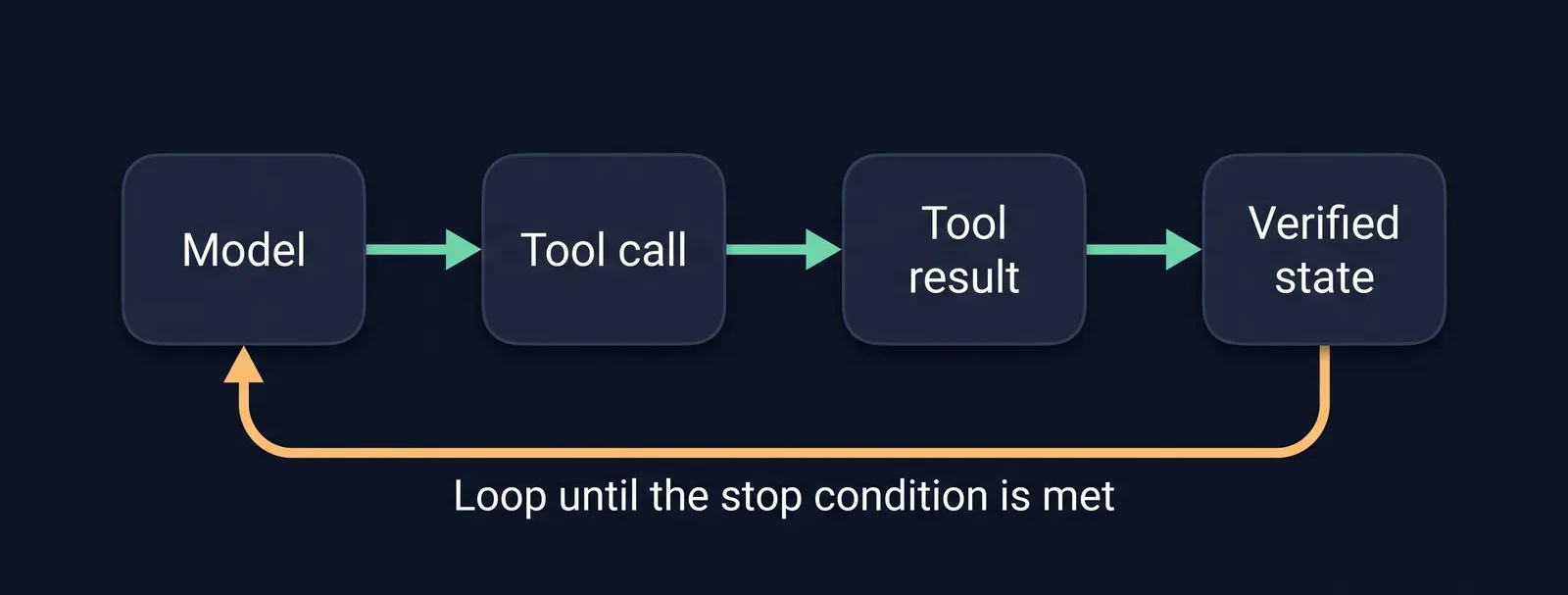
Figure 1. The agent repeats model, tool call, and tool result until its stop condition holds. Completion is decided by a check outside the loop.
Extended description
The diagram shows four rounded boxes in a row, joined by mint arrows that point to the right. From left to right the boxes read Model, Tool call, Tool result, and Verified state.
An amber arrow leaves the bottom of the Verified state box, runs back along the underside of the row, and points up into the Model box. The label under that arrow reads Loop until the stop condition is met.
Read the diagram as a cycle. The model requests a tool call, the tool returns a result, the result goes back to the model, and the cycle repeats. The loop ends only when a check against the real state says the stop condition holds.
04Lesson
SampleWhy agents fail quietly
An agent rarely crashes. It returns a confident sentence about work it did not finish. The failure lives in the gap between what the model reports and what the environment now contains, so this guide treats the environment as the source of truth.
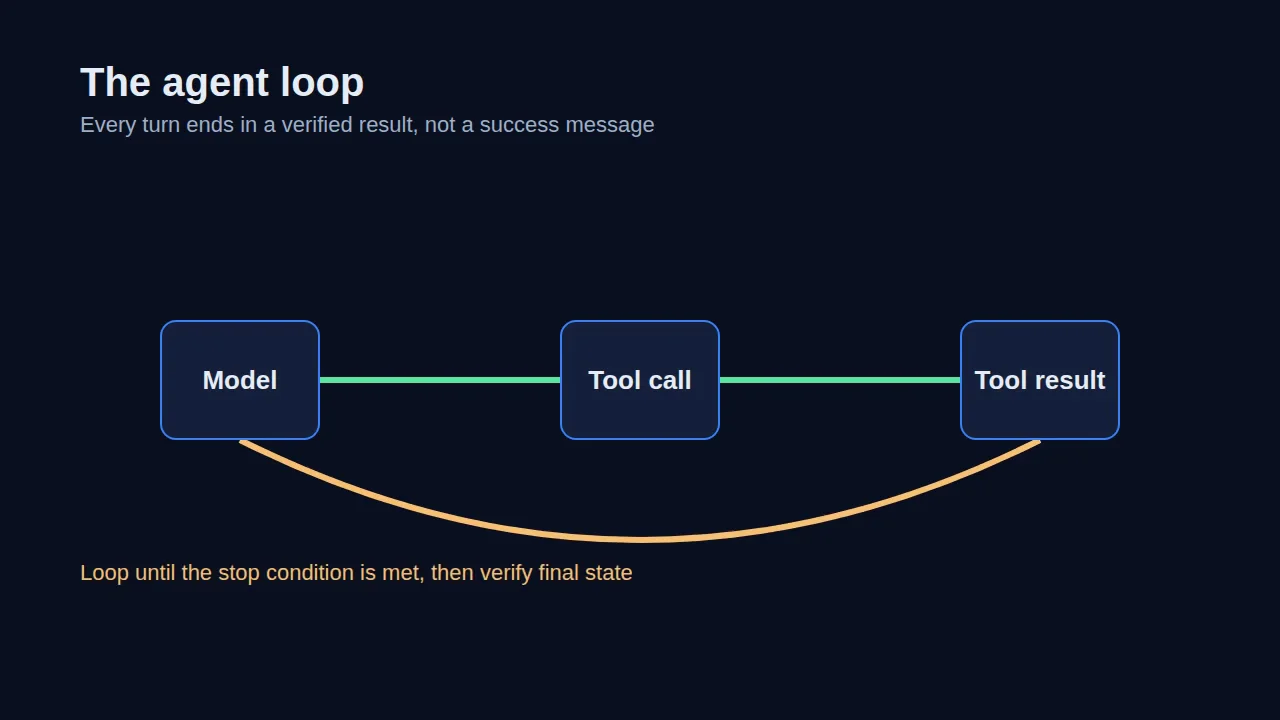
The agent loop
Each turn, the model either answers or requests a tool. Your code runs the tool, returns the result with the same id, and asks again. The loop is yours: you decide how many steps it may take and what counts as done.
for (let step = 0; step < MAX_STEPS; step++) { const reply = await client.messages.create({ model, tools, messages }) messages.push({ role: "assistant", content: reply.content }) if (reply.stop_reason !== "tool_use") break // the model answered const results = await runTools(reply.content) // one result per tool_use id messages.push({ role: "user", content: results })}await verifyFinalState(ticketId) // never trust the last messageStop conditions
A loop needs two ways to end: a step cap that protects your budget, and a stop condition that says the work is done. The step cap is a safety net. The stop condition is a claim about the world, so it belongs in code that reads the world.
Verifying final state
After the loop ends, read the ticket from the system of record and compare it with the write you expected. If the two disagree, the run failed, whatever the last message says. The lab turns this check into a command you can run after every attempt.
05Hands-on lab
SampleLab 2: Break it on purpose, then prove the repair
You will inject a malformed tool result, watch the agent claim success, and add the check that catches it.
Acceptance checks
- pnpm lab:test passes all 6 cases
- Seeded failure is detected, not retried forever
- Final ticket state equals the expected write
- Log shows one tool_result per tool_use id
Run the baseline
$ pnpm lab:run --ticket T-1042Agent: "Refund issued and ticket closed."Inject the failure
$ pnpm lab:run --ticket T-1042 --inject malformed-resultAgent: "Refund issued and ticket closed." (it is not)Add the independent check
$ pnpm lab:verify --ticket T-1042✗ expected status=closed, found status=openShow the solution discussion
The agent treated a malformed tool result as a success because nothing validated the result before it went back to the model.
Validate each result against a schema, return a distinct error when validation fails, and run the independent check after the loop ends. Re-run the lab test to confirm all six cases pass.
More labs in this guide
Lab 1: Build the bounded loop
Run the baseline agent against one synthetic ticket and read its log.
Lab 3: Stop the repeated write
Add an idempotency key so a retry cannot refund the same ticket twice.
06Failure gallery
SampleFour ways this breaks, and how you will know
Every failure here is reproducible in the lab with a flag. Learn the symptom first; it is what you will actually see.
- F-01Sample failure
Confident false completion
- Symptom
- Agent reports success; ticket is still open.
- Diagnosis
- Tool result was malformed JSON; the model filled the gap.
- Fix
- Validate tool results against a schema before returning them.
- Verify
- pnpm lab:verify shows status=closed.
- F-02Sample failure
Repeated write
- Symptom
- Two refunds for one ticket.
- Diagnosis
- Retry after a timeout re-ran a non-idempotent tool.
- Fix
- Add an idempotency key per action; check before writing.
- Verify
- Ledger has exactly one refund row.
- F-03Sample failure
Runaway loop
- Symptom
- Step count hits the cap on every run.
- Diagnosis
- Tool error text never changes, so the model never stops.
- Fix
- Return a distinct, actionable error and stop after two identical failures.
- Verify
- Loop ends with reason=repeated_error.
- F-04Sample failure
Orphaned tool call
- Symptom
- API rejects the next request.
- Diagnosis
- A tool_use id had no matching tool_result.
- Fix
- Return one result per id, including failures.
- Verify
- Trace shows paired ids for every step.
07Assessment
SampleTransfer task and rubric
Apply the pattern to an unseen billing-dispute scenario. Scored against anchored criteria; a proposed local standard, not an official certification.
| Criterion | 0 · Missing | 1 · Partial | 2 · Meets | 3 · Exceeds |
|---|---|---|---|---|
| Loop bounds | No cap | Step cap only | Step cap and stop condition | Both, with logged end reason |
| Result handling | Unvalidated | Checks shape | Schema-validated with errors returned | Distinct, actionable error taxonomy |
| Final-state proof | Trusts the reply | Manual check | Automated independent check | Check plus regression test |
Proposed local standard, not an official certification
08Instructor kit
SampleTeach it to a room
Run of show
90-minute plan with timings, checkpoints, and fallbacks
12 or 100 learners
Lab-room and training-day adaptations with helper ratios
Dry-run protocol
What to rehearse, the seeded failure, and the recovery path
Cleared-to-teach record
Observation rubric and a module-specific clearance form
Pass-rate template
Definitions for attempts, passes, and reassessments
09Companion video
SampleWatch the build, the break, and the fix

- 00:00Why agents fail quietly
- 03:40The loop by hand
- 06:12Stop conditions
- 11:05Seeding the failure
- 17:30The independent check
- 24:18Teaching notes
10Shorts
SampleOne idea per minute
YouTube Shorts · Instagram Reels · TikTok
 0:58
0:58The agent said done. The database says no.
YouTube ShortsSample
 0:47
0:47One result for every tool call id
Instagram ReelsSample
 1:12
1:12How to stop a runaway loop
TikTokSample
 1:03
1:03Idempotency keys in 60 seconds
YouTube ShortsSample
 0:52
0:52What to check before you say done
Instagram ReelsSample
11Discussion
Sample12Downloads
Sample- Slidespdf · 4.2 MB
- Instructor kitpdf · 1.1 MB
- Lab starterzip · 86 KB
- Rubricpdf · 210 KB
13Sources and verification
Sample- [1]Building effective agents · anthropic.comchecked Oct 12, 2026
- [2]Writing effective tools for agents · anthropic.comchecked Oct 12, 2026
- [3]Demystifying evals for AI agents · anthropic.comchecked Oct 12, 2026
- [4]Tool use with Claude · platform.claude.comchecked Oct 12, 2026
Independent work. Not affiliated with or endorsed by any vendor named in this guide.

Author
Jordan Hudgens
Technical educator and AI engineering leader. 16 Udemy courses, 111K students, and curricula used by 250K+ learners.
Next in the path
All guides
Guide 02 · Evaluation and testing
Agent Evaluations That Measure Real Outcomes

Guide 03 · Security and containment
Contain Agent Actions: Permissions, Prompt Injection, and Human Approval